Life Simulator Browser Game
A life simulator you play in a browser is a specific promise: no install, no account, and it runs on the machine you already have open — a school Chromebook, a locked-down work laptop, a tablet on the sofa. That promise is easy to make and harder to keep, because browsers are hostile places for a game that is supposed to remember your life between sessions.
This page is the checklist we would want before starting one: the eight things that decide whether a browser life sim is worth your evening, with MY LIFE's own answers underneath each. It is our game, so treat the scorecard as a claim to verify rather than a review.
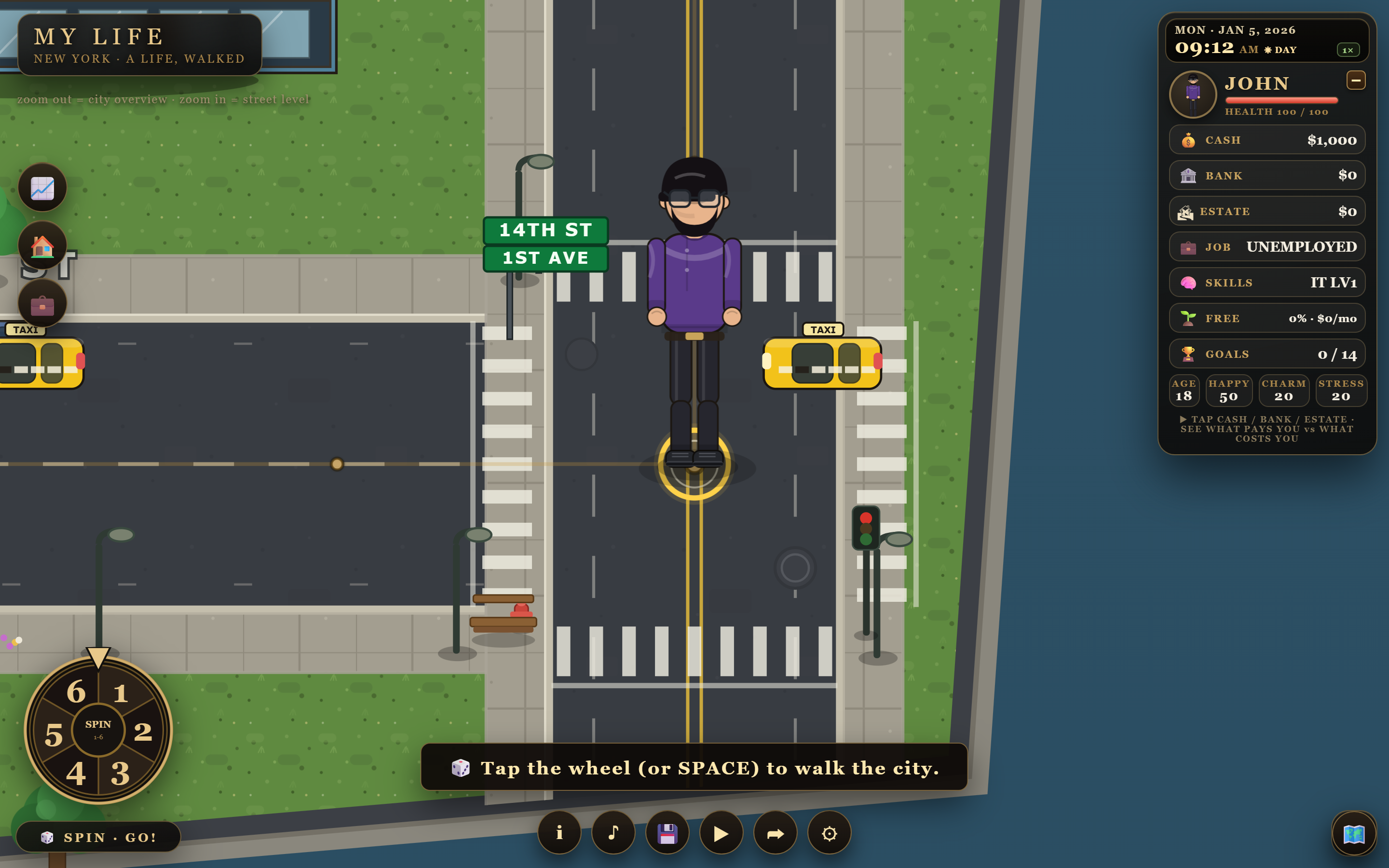
The four problems every browser life sim has to solve
1. Saving without a server. A game with a monthly cash-flow statement cannot lose your run when the tab closes. Without a backend, the only place to put a save is the browser's own storage — which is free, private, and deletable by the user in one click. Every browser life sim is choosing between "no account" and "no lost progress", and most quietly choose the first.
2. Performance in a canvas. A city with traffic, pedestrians and weather has to run at a usable frame rate on integrated graphics. That usually means flat, hand-drawn art rather than 3D, which is why the genre looks the way it does.
3. Session resume. A life sim is played in ten-minute pieces. If it cannot be put down mid-month and picked up tomorrow, the format collapses.
4. Controls that do not need a mouse and a keyboard at once. Trackpad, touchscreen, arrow keys, one hand. A browser game that assumes a gaming setup loses half its audience on the first screen.
The eight-point checklist
| Check | Why it decides whether you keep playing |
|---|---|
| Install | Anything that asks for an app, an extension or a plugin is not a browser game. It is a download with a landing page |
| Account | An email wall before the first minute is a marketing funnel, not a game. Try to find the version that starts on press |
| Saving | Find out how it saves before you invest an hour. Auto-save, manual save, or nothing — and where the data lives |
| Session length | Can you stop mid-run? A game that only saves on exit will lose the run when a laptop dies |
| Controls | Keyboard, mouse, touch. If it needs a mouse and a keyboard simultaneously, it is a desktop game wearing a browser's clothes |
| Frame rate | Watch for a minute before you invest. A city that stutters on your machine will stutter more once the map fills |
| Depth vs tutorial | How much of the game is explained by playing, and how much by a wall of text? A good sim teaches through the first month |
| Payment model | Free, ads, or pay-to-advance. Free with ads is fine; free that gates progress behind a purchase is not free |
MY LIFE, scored against its own checklist
Same eight points, answered without marketing language. Where the answer is a limitation, it is stated as one.
| Check | MY LIFE |
|---|---|
| Install | None. One HTML page with a canvas city — open the URL and press START LIFE |
| Account | None. No email, no sign-up, no login, no newsletter wall |
| Saving | Automatic, plus an instant button. Your run saves into your own browser after every walk and every new day; the 💾 button writes a checkpoint on demand. Nothing is uploaded — which also means clearing site data deletes the life |
| Session length | Built for ten-minute sessions. A day passes in seconds, a month settles every 30 in-game days, and the run waits for you |
| Controls | Tap or SPACE to spin, drag or WASD to pan, scroll or pinch to zoom, click the clock for speed. Works one-handed on a trackpad or a phone |
| Frame rate | Flat vector art on canvas, drawn for integrated graphics. Older machines are fine at street level; the zoomed-out city overview is the heaviest view |
| Depth vs tutorial | Nineteen goals teach by doing — fifteen life goals, then a four-rung fortune ladder. The guide exists for the things the game never stops to explain, not as required reading |
| Payment model | Free, no purchase, no ads inside the game, no energy timers |
What MY LIFE is not
Not multiplayer. There are no other players, no trading, no leaderboards. If the appeal of a life sim for you is competing with strangers, this is the wrong game.
Not cloud-saved. No account means no cloud. Play on one browser on one device, or export nothing — the trade is real and it is the price of never being asked for an email.
Not a mobile-first app. It runs in a mobile browser, but the city was designed for a screen you can see the whole street on. A phone is fine for a short session, not for a long one.
Not a text-only sim. The numbers are text; the world is not. If you want the pure button-and-menu version of the genre, that comparison is here.
What a life sim should do in the first ten minutes
Three things, in this order. It should give you a stake — a number that can go up or down and that you care about. It should give you a choice with a visible price — not a moral choice, an arithmetic one. And it should make one month pass, so that you see a decision turn into a bill.
MY LIFE does those three things in about four minutes: you start at 18 with $1,000, you take a job or you do not, and thirty in-game days later the difference arrives as a salary or as nothing. The financial rule underneath is deliberately borrowed from Rich Dad Poor Dad — assets pay you monthly, liabilities bill you monthly — and the cashflow game page explains how that maps onto the four quadrants. The rules themselves, without the game, are in asset & liability rules.
Who this is for
People who want a game in a browser tab that costs nothing, asks for nothing, and teaches one honest piece of arithmetic: what a purchase does to the next thirty days of your life. If that sounds like a small thing to build a game around, it is — and it is the only mechanic in the genre that transfers to the player's actual life.
If you want to see the map before you commit, the New York map page shows the streets you will be walking.
PLAY MY LIFE — FREE, NO INSTALLFrequently asked
Do I have to download or install anything? No. MY LIFE runs entirely inside a browser tab. There is no app, no app-store login, no install and no permission prompt — open the page and play.
Is the browser life simulator free? Yes. No account, no purchase and no ads inside the game. Your save stays in your own browser and is never uploaded.
Does it work on a Chromebook or mobile? Yes. Any modern browser works, so it runs on Windows, macOS, Linux, ChromeOS, iOS and Android alike.